Routings
Purpose
The Routing Link Code connects production BOM components with the related operation. When output is posted, components with Flushing Method = Back are consumed based on the output quantity.
If the same routing link code is used on multiple routing lines, the related components can be consumed multiple times. The Check Routing Link Codes on Certify Routing function detects this repeated use when the routing status is changed to Certified.
Business Value
- Repeated routing link codes become visible before the routing is used productively.
- Backward flushing does not accidentally consume the same components multiple times.
- Users receive a warning with details about the affected routing link code during certification.
- The check supports a clean relationship between operations and components.
Activate the Check in Manufacturing Setup
- Open Manufacturing Setup.
- Go to the General FastTab.
- Enable Check Routing Link Codes on Certify Routing.
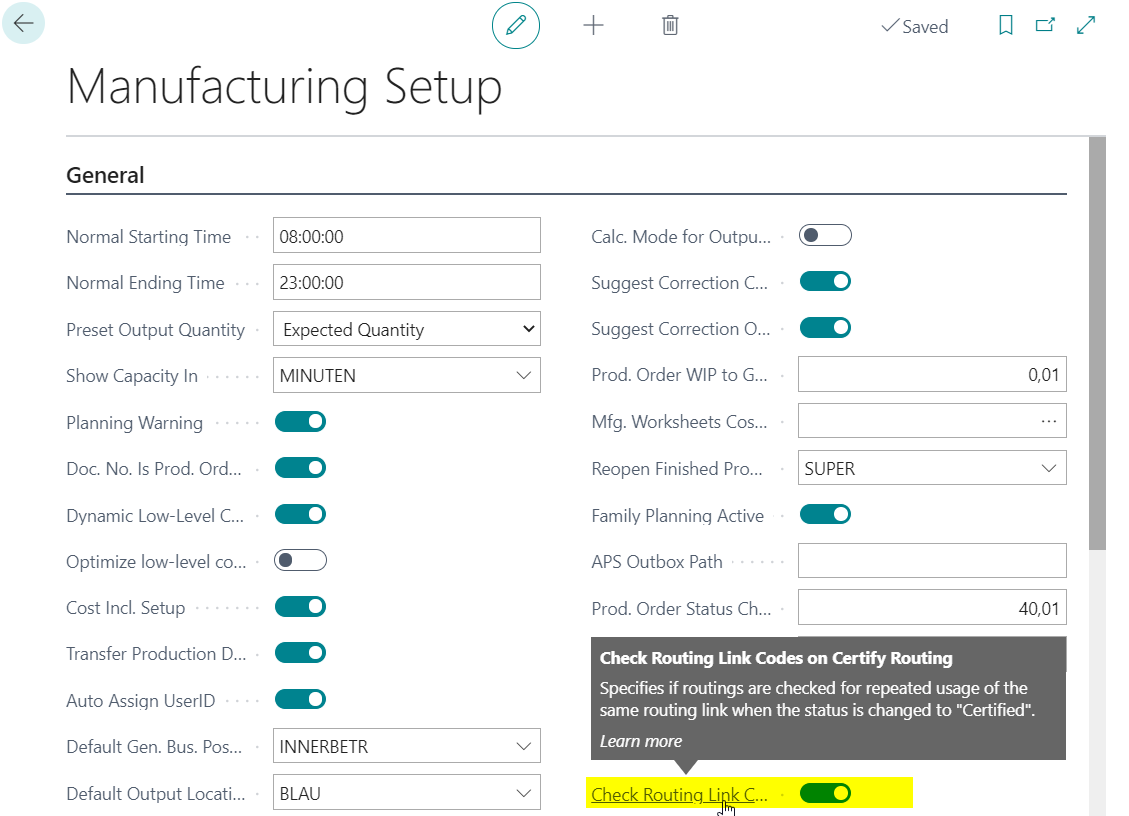
Enable the check before productive routings are certified. Only then will the warning be shown reliably during the status change to Certified.
Prepare a Routing with a Duplicate Routing Link Code
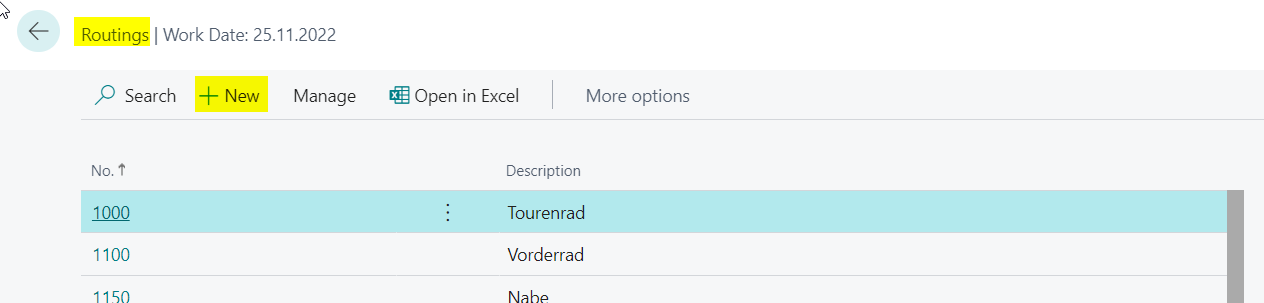
- Open Routings.
- Choose New to create a new routing.
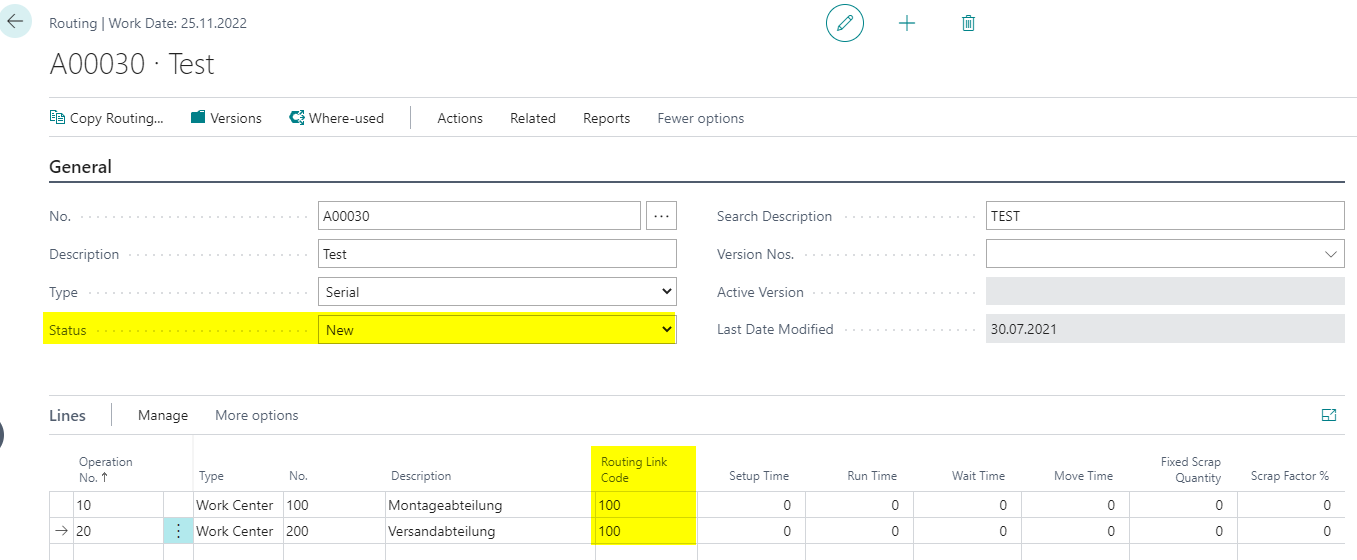
- Fill in the routing header as required.
- Leave Status set to New.
- Create at least two routing lines.
- Assign the same Routing Link Code to both lines.
Certify the Routing and Check the Warning
- Change the Status of the routing to Certified.
- Check the warning message.
If the same routing link code is used more than once, Business Central shows a warning with the affected routing link code.
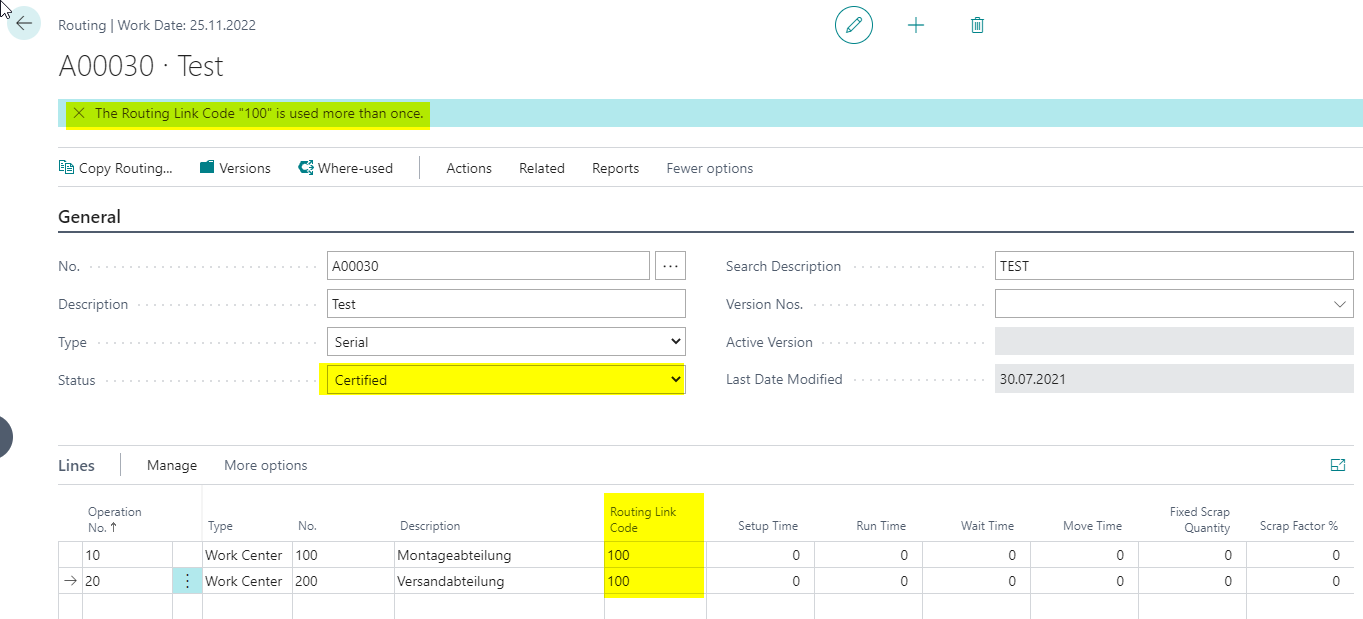
In the example, routing link code 100 is used more than once. This message makes it visible that components could be consumed multiple times during backward flushing.
Result
After the check is enabled, repeated routing link codes are detected when a routing is certified. Users can correct the routing lines before the routing is used productively and before unexpected duplicate consumption postings occur.
Links