Production BOMs
Purpose
Use automatic production BOM and routing creation to create the header of a Production BOM or Routing directly from the item card. The new header is created with the item number. If a production BOM or routing already exists, the assist action opens the existing record or, where available, the active version.
This reduces the effort required to create and maintain production BOMs and routings because users do not have to switch to separate lists first and create the header data manually.
Business Value
- Production BOM and routing headers can be created directly from the item.
- The No. of the new header matches the Item No..
- Description, Description 2, and Search Description are transferred from the item card.
- Existing production BOMs or routings can be opened through the same assist actions.
- If a certified active version exists, the active version card is opened.
Create an Item
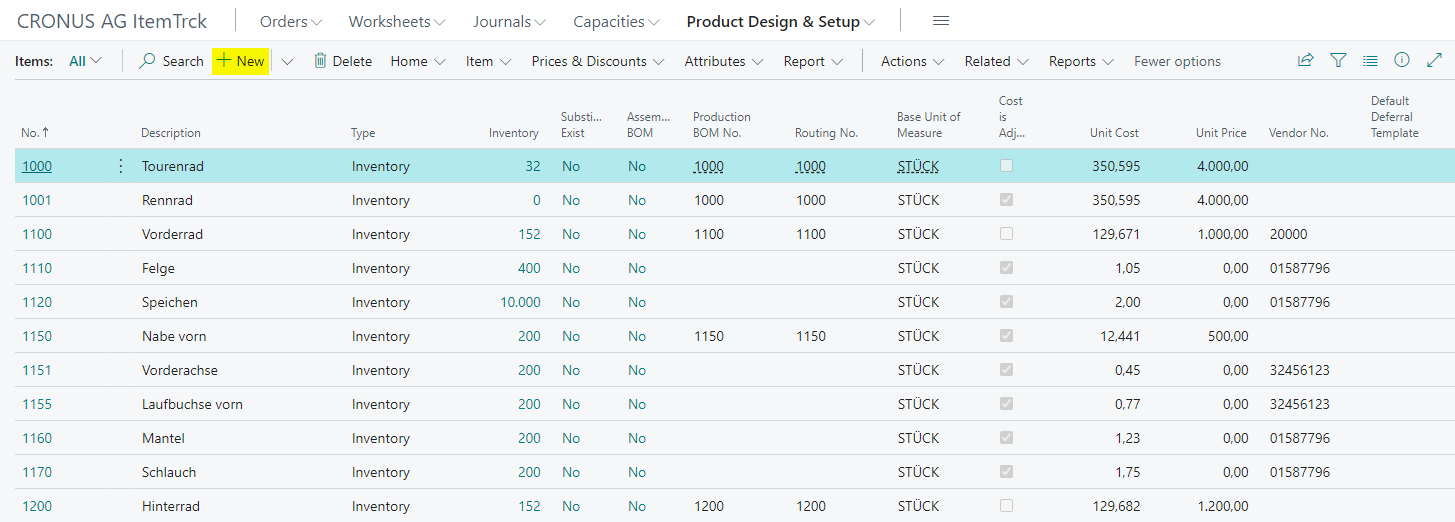
- Open the item list.
- Choose New to create a new item.
- Select the required template.
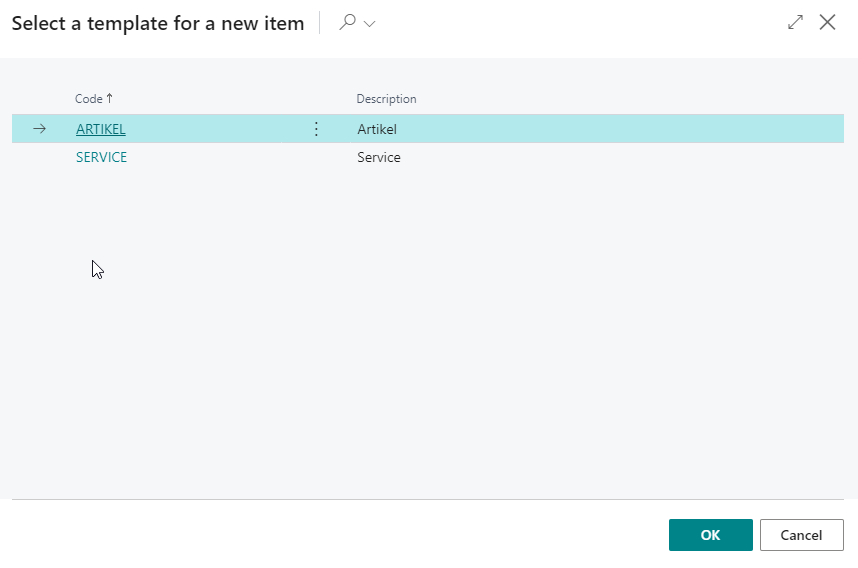
- Confirm the template selection with OK.
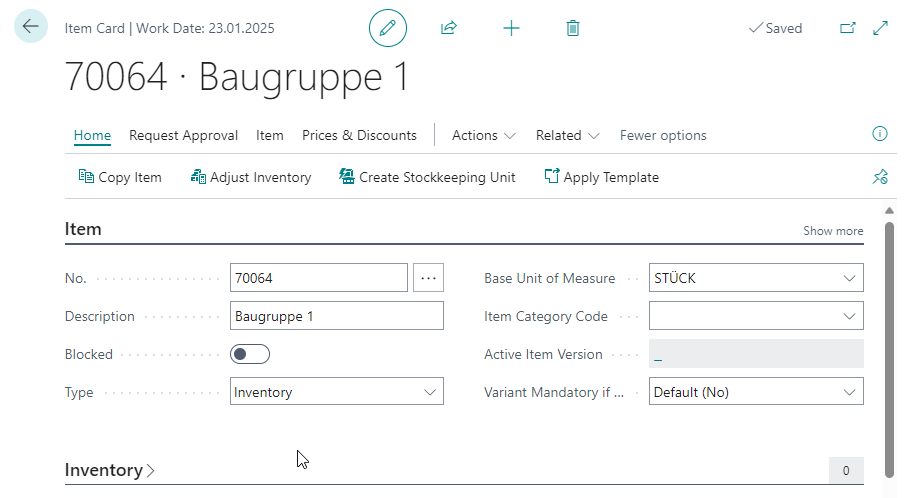
- On the new item card, fill in the required fields, for example Description.
Check the Routing and Production BOM Fields
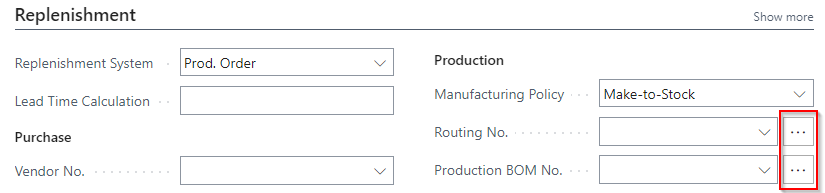
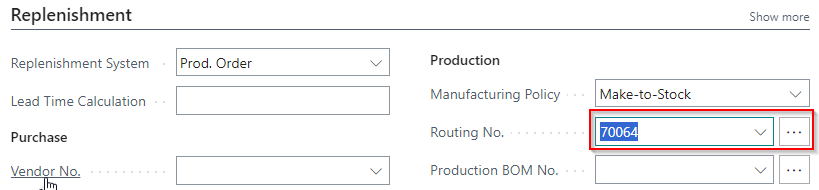
- On the item card, go to the Replenishment FastTab.
- Check the fields Routing No. and Production BOM No..
For newly created items, these fields are still empty.
Create a Routing Header from the Item Card
- Use the assist action in Routing No..
- Confirm that a new routing header should be created.
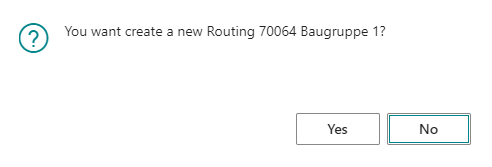
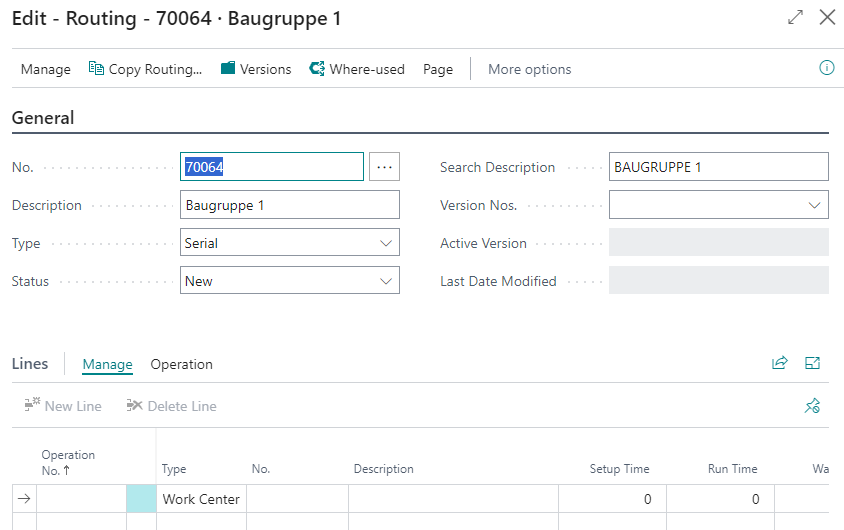
The system automatically creates a routing header with No. = Item No.. The item description is transferred. Description 2 and Search Description are also transferred from the item card to the routing header.
After creation, the system enters the new routing number in Routing No. on the item card.
Create a Production BOM Header from the Item Card
Automatic creation of a production BOM works in the same way as the routing creation described above.
- Use the assist action in Production BOM No..
- Confirm that a new production BOM header should be created.
- Then check whether the new number has been entered in Production BOM No. on the item card.
The header is also created with the item number. The relevant item data is transferred to the header so that you can continue directly with the BOM lines.
Open Existing Routings and Production BOMs
If Routing No. or Production BOM No. is already entered on the item card, the assist action opens the existing record directly. The list view is not opened first in this case.
Open the Active Version
If an active version exists for the routing or production BOM, the assist action opens the version card directly.
The prerequisites are:
- The version is Certified.
- The reference date is the current work date.
- The version is shown as Active Version on the routing or production BOM card.
Result
After setup, users can create or open production BOM and routing headers directly from the item card. New headers are created with the item number and prefilled with item data. Existing records or active versions are available through the same assist actions.
Links