Document Capture
With Document Capture, data and information are recognized automatically. The basis is optical character recognition with OCR. The electronic document flow is optimized (ability to provide information: Where is the document? What is the document status?).
Cloud OCR enables the free processing of 1,000 pages per month. Additional pages can be purchased at low cost. Maintenance is provided by Continia. On-premise OCR usually requires a dedicated server and maintenance. On-premise OCR enables the free processing of 10,000 pages per month.
It is possible to register various types of documents:
- Purchase invoices
- Payment advices
- Orders
- Purchase orders
- Signed delivery notes and much more
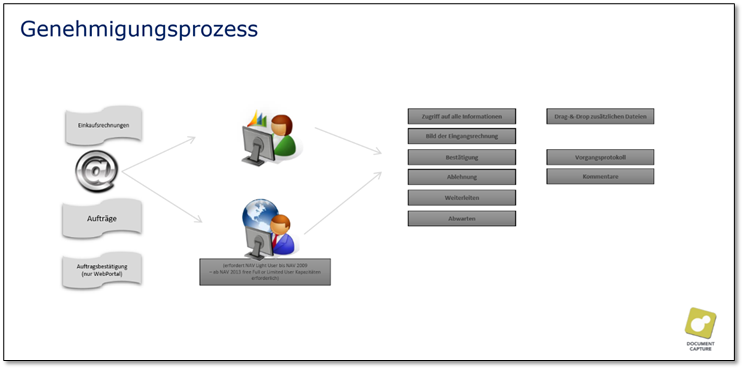
Document Capture also extends the standard approval process. For example, approvals can be carried out in the Continia WebPortal. The module also provides purchase order matching. For this, however, the document lines and the purchase order number must be readable from the documents. With very complex or unclear documents, the functionality reaches its limits. Recognition of the document header, on the other hand, is usually possible without errors.
Document recognition
To set up document recognition and estimate the effort involved, documents that are processed frequently should be provided.
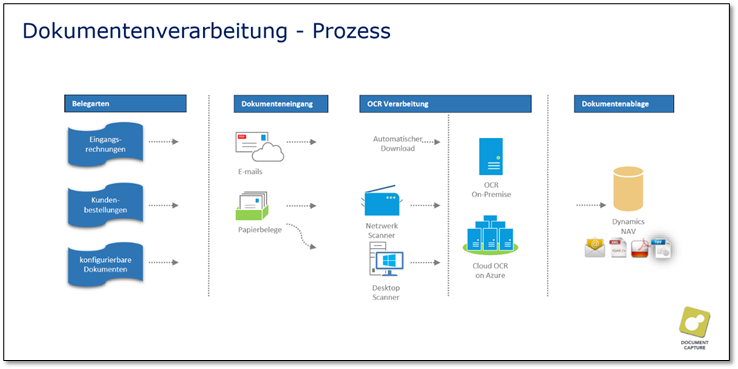
Meta process DOP - Document recognition
Document Capture is primarily used for the automated processing of purchase invoices. However, other document categories can also be processed with it. Document Capture processes PDF only. After a certain learning phase, Document Capture can automate document recognition up to the creation of the document in Business Central. The process describes the recognition of certain document categories with the help of Document Capture. The goal is largely automated processing of documents.
DOP-0010 Provide document
The received documents are digitized as PDFs. They must then either be stored in the correct directory (on-prem) or sent to the corresponding email address (Continia Cloud). The documents are then processed automatically with OCR technology. Depending on the complexity of the documents, this can take some time. The documents are then ready for import.
DOP-0020 Import/recognize document
The OCR-processed documents can be imported manually or by means of a job queue. The documents are imported into the document journal. Document Capture automatically recognizes account cards and document header data based on the VAT ID number and/or predefined search terms. All data is transferred into the correct document header fields based on previously defined document templates.
DOP-0030 Check document recognition
All assignments are checked for correctness. Missing data or assignments are highlighted in red in the comments. These must be assigned or entered manually. In this way, Document Capture is trained and the respective template is updated. Fewer errors occur during the next import.
DOP-0040 Match document
Documents can be matched directly with goods receipt lines or purchase order lines. This can be done manually or automatically. For automatic matching, the purchase order number must be noted on the document.
DOP-0050 Register document
If everything has been recognized correctly on the document, the user can register the document. This creates the actual Business Central document. It has not yet been posted. The documents are archived.
AI-supported document recognition
With the latest Document Capture version, it is possible to use AI-supported document recognition. This eliminates many training hours in which the program has to be taught the lines. This function is available exclusively in Continia Cloud OCR.
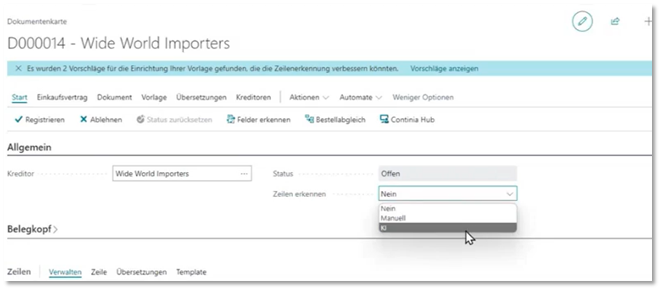
Setup takes place in the document card. Here it can be decided whether recognition should be disabled, manual, or performed via AI.
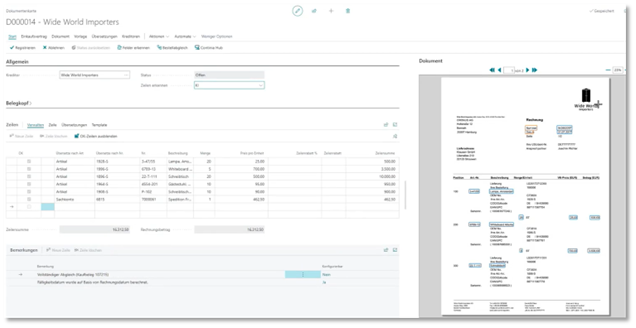
Thanks to AI line recognition, it is also possible to process documents with information that is far apart.
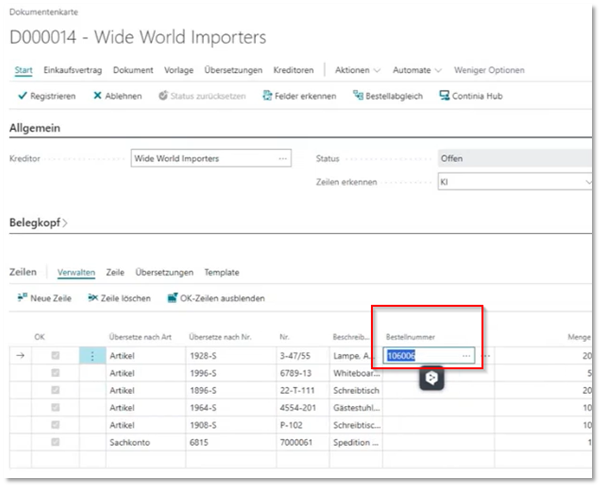
Document fields can be added more easily and written into an existing field or into a new field. If AI is activated, the setup assistant starts on left click in the document and is used to decide whether an existing field or a new field should be populated.
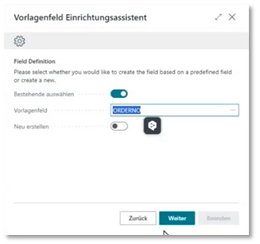 Click to enlarge
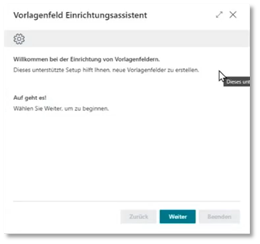 Click to enlarge
After recognition is completed, the field is filled directly.
Vendor creation from Document Capture
Thanks to OCR recognition in the cloud with AI, it is now possible to create new vendors directly from the document journal in Document Capture.
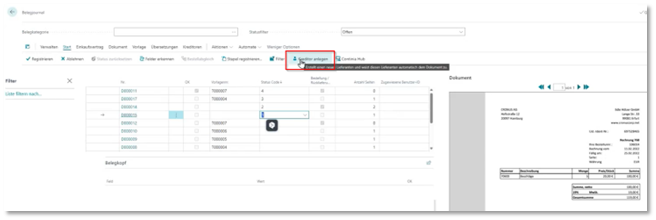
By selecting Create vendor, a wizard starts that guides you through the creation process and may also display deviating addresses. If several addresses exist, you can choose which address should be used.
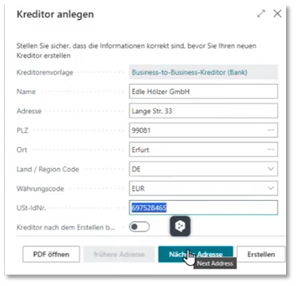 Click to enlarge
Standard setups, such as existing vendor templates, are also taken into account in order to carry out the creation.
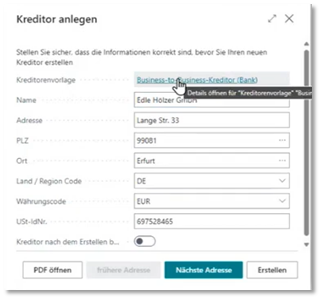
Purchased Contracts
This module is part of Document Capture and gives you an overview of your ongoing contracts and subscriptions directly in Microsoft Dynamics 365 Business Central. This provides precise values for budgeting at all times. Contracts can be generated directly from incoming invoices. By activating reminders shortly before contracts are renewed, you can save unwanted costs by canceling them in time.
eDocuments
With the supplemental eDocuments module, the purchase-to-pay workflow can be optimized through the sending and receipt of electronic documents via the Peppol network and other European document exchange networks in compliance with European and local regulations. The module enables smooth business processes through global XML compatibility as well as effortless document revisions and resubmissions. This module can send all common e-invoice formats and other document types via the Continia Delivery Network (including the Peppol network) in encrypted form.